Alterations workroom

The alterations workroom is one screen. Bridal Web Solutions does not have one at all.

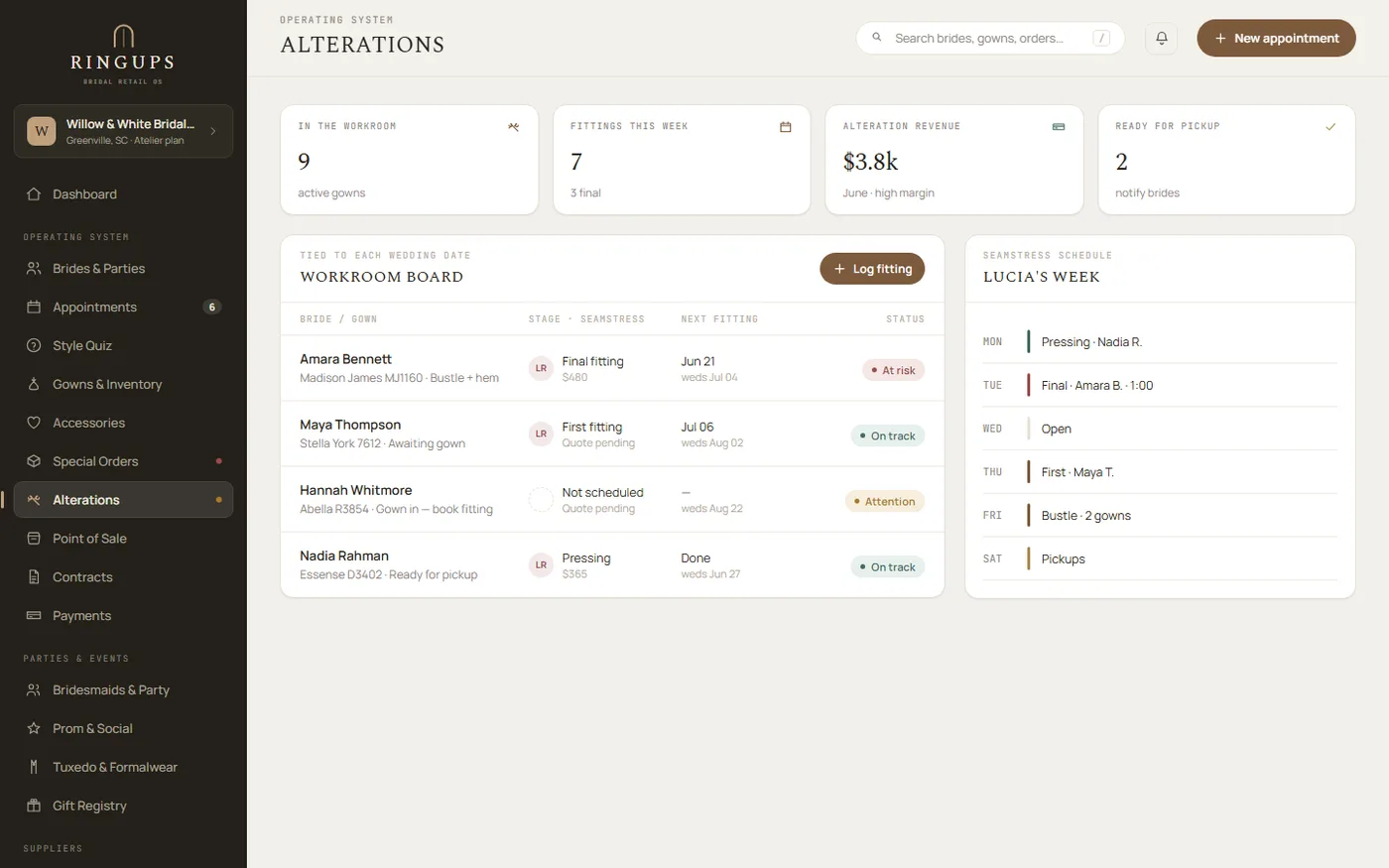
RingUps puts the alterations workroom on a single screen: every gown in the room, the seamstress it is assigned to, the fitting date, the services pinned at that fitting and the price of each one. Bridal Web Solutions has no alterations workroom. The same work is spread across appointments, per-supplier charge records and four separate reports.

No boutique has run alterations through RingUps in production yet, so the screen below is the built module shown with sample data.

Bring your alterations book to the demo How the gown gets here
1
screen in RingUps for the whole room
4
separate Bridal Web Solutions reports the same work is spread over
A seamstress taking a measurement over the bodice of a wedding gown in the workroom at Cande Bridal Boutique in Kelowna, British Columbia
The RingUps alterations screen: stat tiles for gowns in the workroom, fittings this week and alteration revenue, a workroom board listing each bride's gown, stage, seamstress and next fitting date, and a seamstress's weekly schedule alongside it
The alterations workroom, built and shipped — shown with sample data
The problem

Where does alterations work live when there is no workroom screen?

In four places, and none of them is the workroom. A fitting is an appointment. The money is a charge record filed under whoever did the sewing. What is actually happening in the room has to be reassembled from four separate reports, by the one person who already knows the answer. That person is usually the owner, and the reassembly happens on a Saturday.

Bridal Web Solutions

Four places, no room

Appointments — where the fitting is booked
Per-supplier charge records — where the money is filed
Four separate reports — where the picture has to be reassembled

Bridal Web Solutions is deep software dating to 2006, and this is not a shallow product. It simply never grew a workroom. There is no single screen to open on a Tuesday morning and see the room.

RingUps

One screen, and the room is on it

The workroom
Every gown in the room
Its stage, from intake to pickup
The seamstress it is assigned to
The fitting date
The services pinned at that fitting
The price of each one

The difference is not a feature count. It is a difference in shape: work that was an inference drawn from four reports becomes a record you can open.

The board

Every gown in the room moves through four stages

Intake, in progress, fitting booked, ready for pickup. Choose a stage to see what the screen holds at that point. Everything below is sample data in a built screen.

app.ringups.com/alterations
Intake — received, waiting on a seamstress
T. Boyko — full bustleUnassignedOct 9$195
A. Duarte — hemUnassignedOct 14$180
P. Osei — bodice and strapsUnassignedOct 18$185

A job is opened against the bride's order the day the gown is received, so the bride, the gown and the wedding date come with it and nothing has to be retyped. The queue sorts by date. Nothing sits unassigned for a fortnight without being visible to whoever opens the screen.

The walkthrough

How a gown gets from first fitting to pickup in RingUps

Seven steps, written as the workflow the module was built for. Read it as the intended path rather than as a case study. Each step says what the staff member does and what RingUps does in response.

  1. Receive the gown and open a job

    The gown arrives and a staff member opens an alterations job against the bride's order. RingUps carries the bride, the order and the wedding date onto the job, so the room inherits the same date the special-order deadline engine has been counting down to.

  2. Book the first fitting

    The staff member sets a fitting date on the job. RingUps stores it on the job and shows it on the workroom board. It does not put it on the shop calendar or the iCal feed, so a store that wants it there books an Alterations-department appointment as well. The two records do not sync.

  3. Pin the work at the fitting

    Standing with the bride, the fitter adds each piece of work off the store's own service list: hem, bustle, bodice take-in, straps. RingUps fills in the price from the list. Type a different number for this bride and that number wins for this job only, leaving the list alone.

  4. Assign the work to a seamstress

    The manager assigns the job, or one line of it, to a named seamstress. RingUps shows each person their own list. It does not estimate how long the work will take and it does not balance the two lists for you, because it holds no hours and no capacity.

  5. Move the job through the room

    As the work progresses the job moves from intake to in progress to fitting booked to ready for pickup. RingUps keeps the board ordered by date, so the gown due on Friday is at the top of it whoever opens the screen.

  6. Price the finished job

    Every line carries its own price, its own note and optionally its own seamstress, and a service is retired rather than deleted so a job from two years ago keeps its link to the thing it was. RingUps recomputes the job total in the database as the live sum of its lines, so the header cannot drift from the list beneath it.

  7. The bride collects

    The job is marked ready for pickup and the bride collects the gown. RingUps holds the alterations charge on the job and reports it from the workroom. It does not add it to her order balance, and you take payment for the alterations work outside the RingUps payments ledger. That is the constraint the module ships with, and the next section explains why it exists and what it costs you.

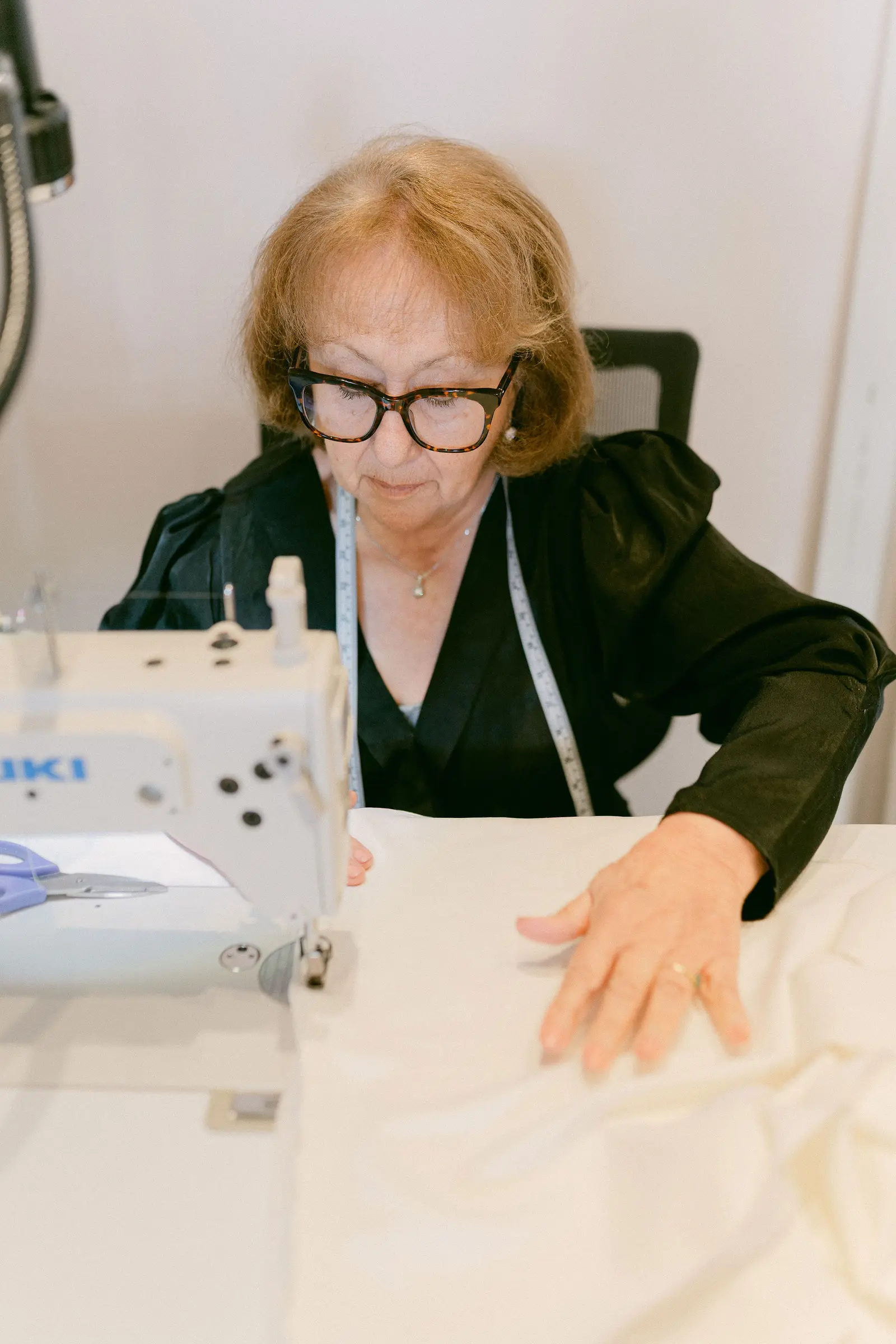
A seamstress guiding the skirt of a wedding gown under the needle of a sewing machine in the Cande Bridal Boutique workroom

The workroom is the part of a bridal store that has never had a screen.

Photographed in the workroom at Cande Bridal Boutique, Kelowna, British Columbia. The room is real. The software history is that nothing has ever pointed at it.

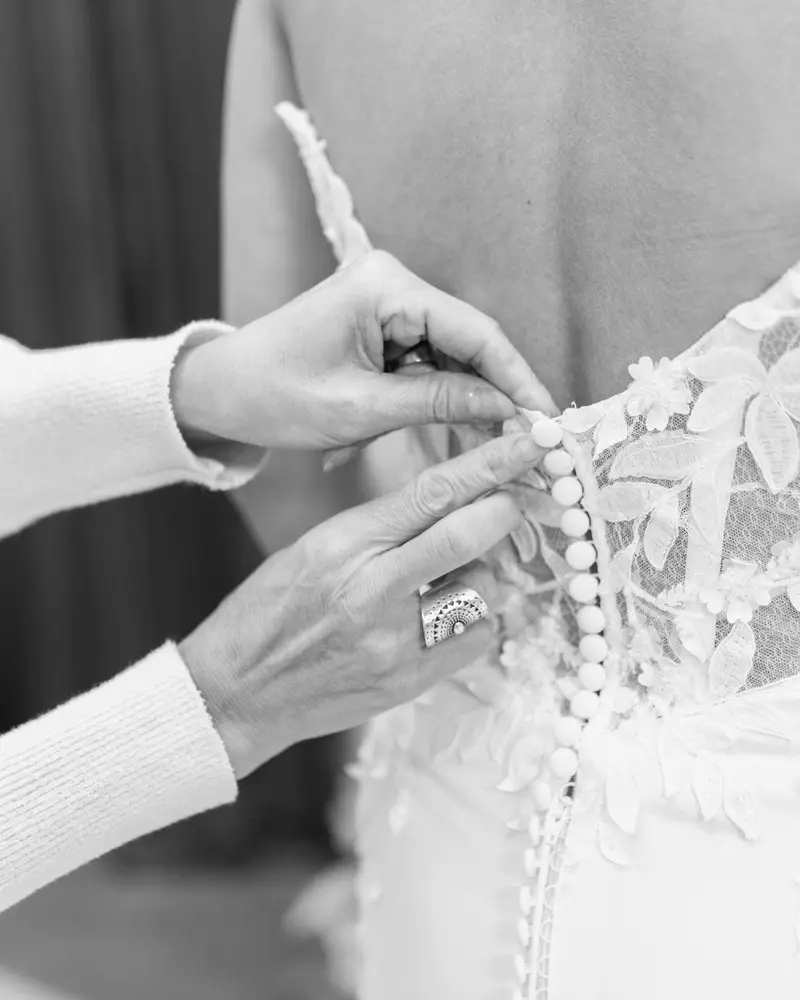
Close detail of covered satin buttons being fastened down the back of a wedding gown
The service list

Why does the price come off a list instead of out of someone's head?

Because the person who knows what a bustle costs is not always the person standing with the bride. The store sets the list once. Everyone picks from it, the price fills itself in, and a different number can still be typed for a bride who needs one. A service is retired rather than deleted, so a job from two years ago keeps its link to what was actually done.

Illustration — a store's own list, prices its own
Hem$180
Bodice take-in$140
Bustle$95
Straps$45
Cup sizing · zipper replacementfrom $30

Sample figures in a built screen. RingUps does not publish alterations prices and does not suggest what yours should be.

The question people actually type

Why do alterations charges never reach the bride's balance?

Because in RingUps the order total is load-bearing. It is what the deposit ledger holds against, what the deferred-revenue ledger recognises when the gown is delivered, and what the tax engine calculates on. An alterations charge is agreed weeks after the order is written and changes again at the second fitting. Rather than let a moving number move all three of those, the alterations charge was deliberately put outside the order total.

The consequence is not subtle and we are not going to dress it up as a feature. The payments ledger, the deposit ledger and the tax engine never see alterations money. The bride does not see it on her balance. You cannot take it through RingUps, and RingUps cannot tell you what the room earned.

What RingUps does hold is the record: what work was agreed, at what price, by whom, against which bride and which wedding date. For a store whose alterations history currently lives on sticky notes and in one person's memory, that record is the thing worth having first. The money follows the record; it has never worked the other way round.

What the workroom screen replaces
  • The sticky note pinned to the garment bag
  • The seamstress's own notebook, which leaves when she does
  • The price nobody wrote down, quoted differently by two people
  • Cross-referencing four Bridal Web Solutions reports to answer one question
  • The owner being the index for the entire room
Folded bridal fabrics and lace stacked on a workroom table at Cande Bridal Boutique
Questions

Questions about the alterations workroom

Does Bridal Web Solutions have an alterations workroom?

No. Bridal Web Solutions has no alterations workroom. The same work is spread across appointments, per-supplier charge records and four separate reports. RingUps puts it on one screen. That is a difference in shape rather than a difference in feature count.

Bring your alterations book to the demo

Fifteen minutes on your own data. Bring the binder, the sticky notes, whatever the room runs on now, and we will put a week of it into the workroom while you watch. It will be the first real week the module has held.

Book a fifteen-minute demo See pricing